Mizuhiki Verified Accounts
A trusted, wallet-based account that binds identity and due diligence results (sanctions, PEP, EDD checks) via mechanisms like soulbound tokens, enabling trusted, composable participation across apps.
To ensure compliance with regulations while enhancing trust and safety, you can restrict access to your dApp or token to only verified users by following these steps:
- Make a minor modification to your token smart contract or dApp code
- Use the Mizuhiki ID App to verify your users' accounts
Mizuhiki ID App
Mizuhiki Identity is currently available through the Mizuhiki ID demo app and an iOS and Android SDK, allowing you to integrate all features directly into your own application.
To highlight the features of Mizuhiki and allow developers to test them, we have released a private beta app called Mizuhiki ID. This app is currently available for iOS users through TestFlight.
To download the app, please contact JSC to request an invitation. You will receive an email from TestFlight ([email protected]) with the subject line AltxResearch has invited you to test Mizuhiki ID. Follow the instructions provided in the email to complete the installation.
Identity Verification
When you first open the app, you will need to complete the sign-up process by verifying your identity. Have your MyNumber card ready and follow these steps:
- Enter your MyNumber card password (6 to 16 characters)
- Tap your MyNumber card to your phone's NFC reader
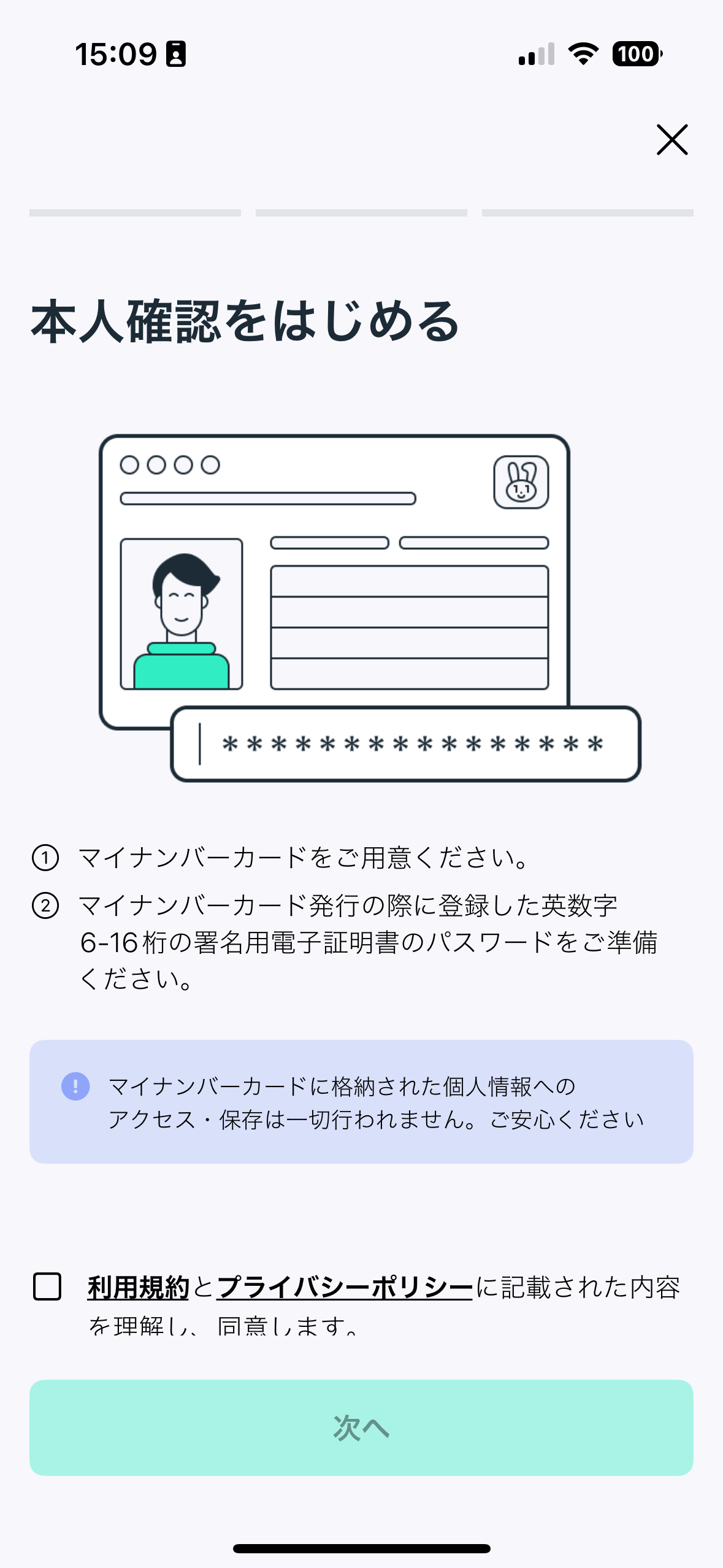
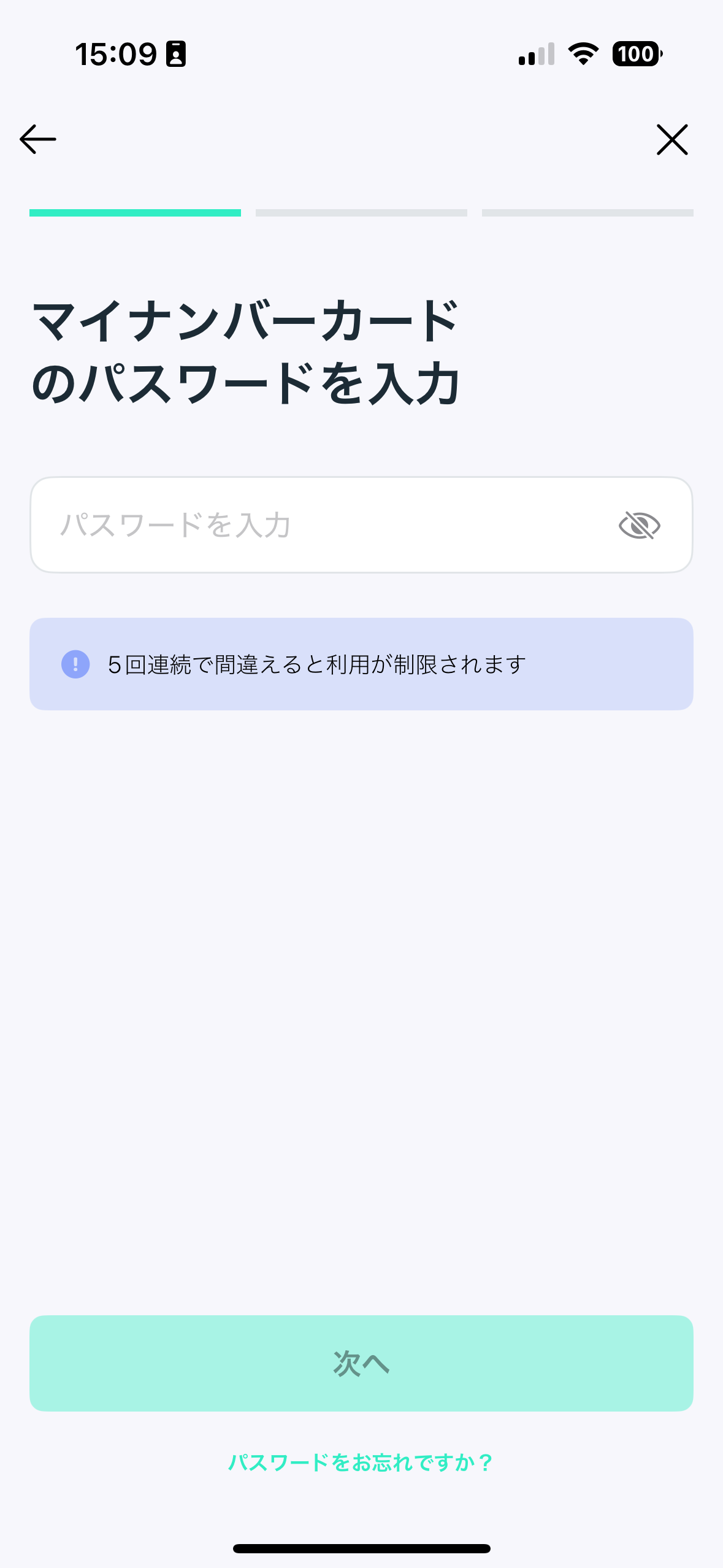
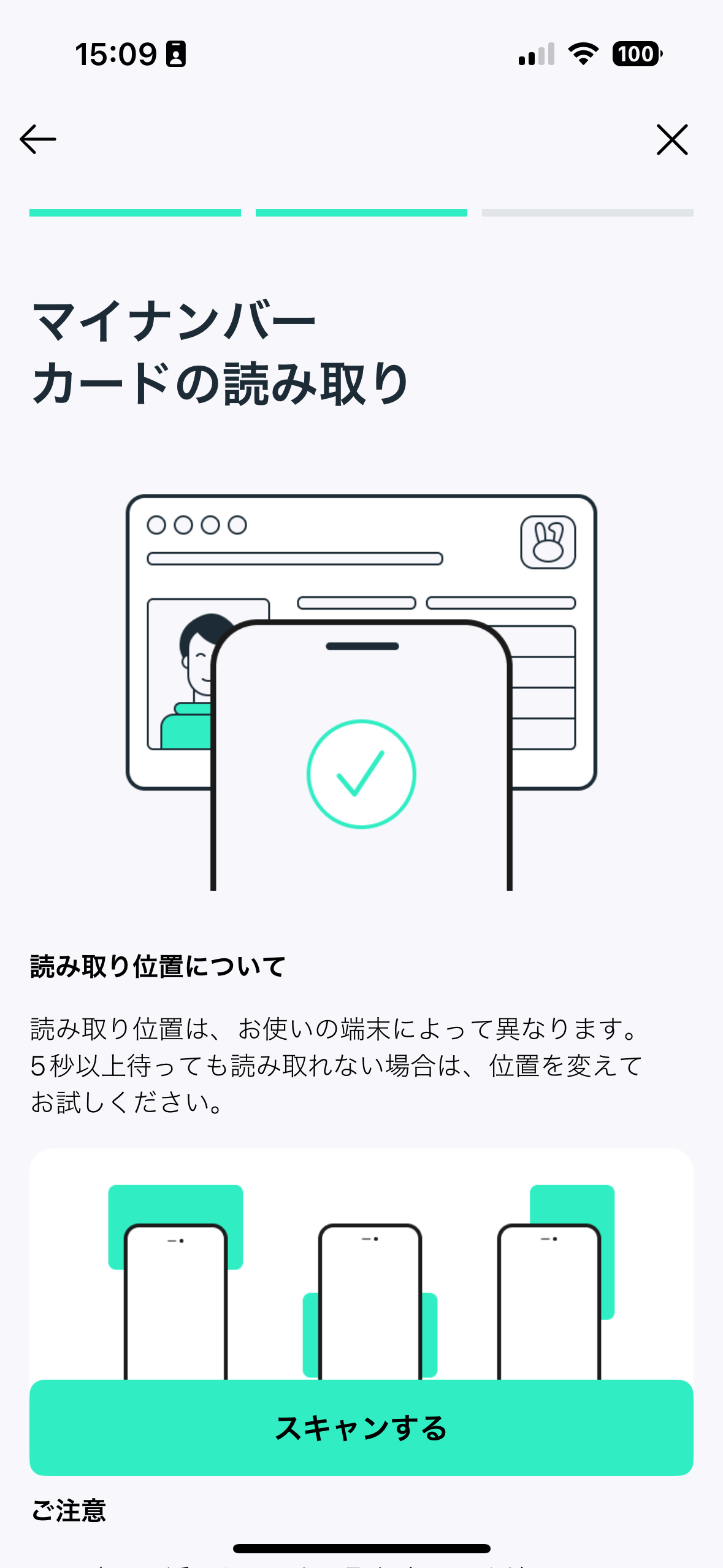
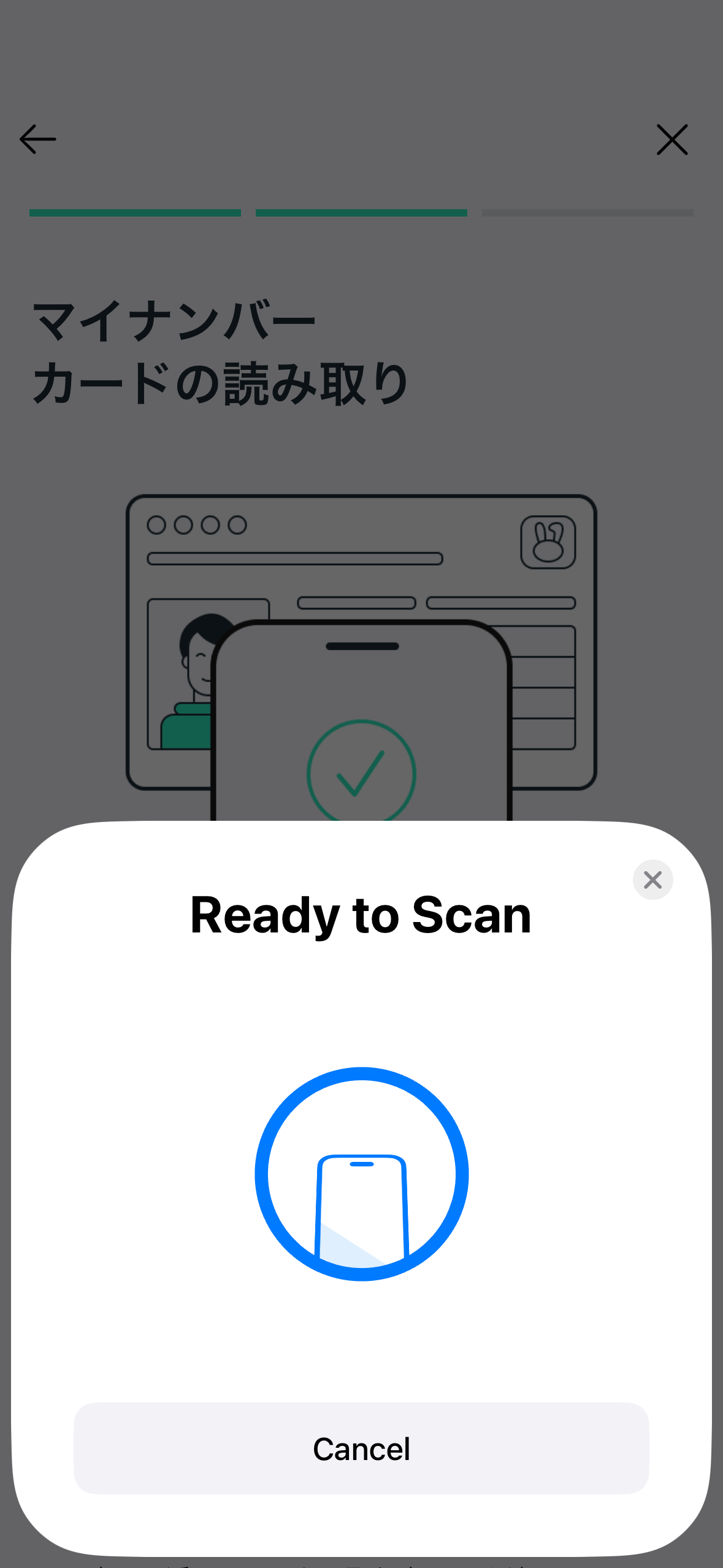
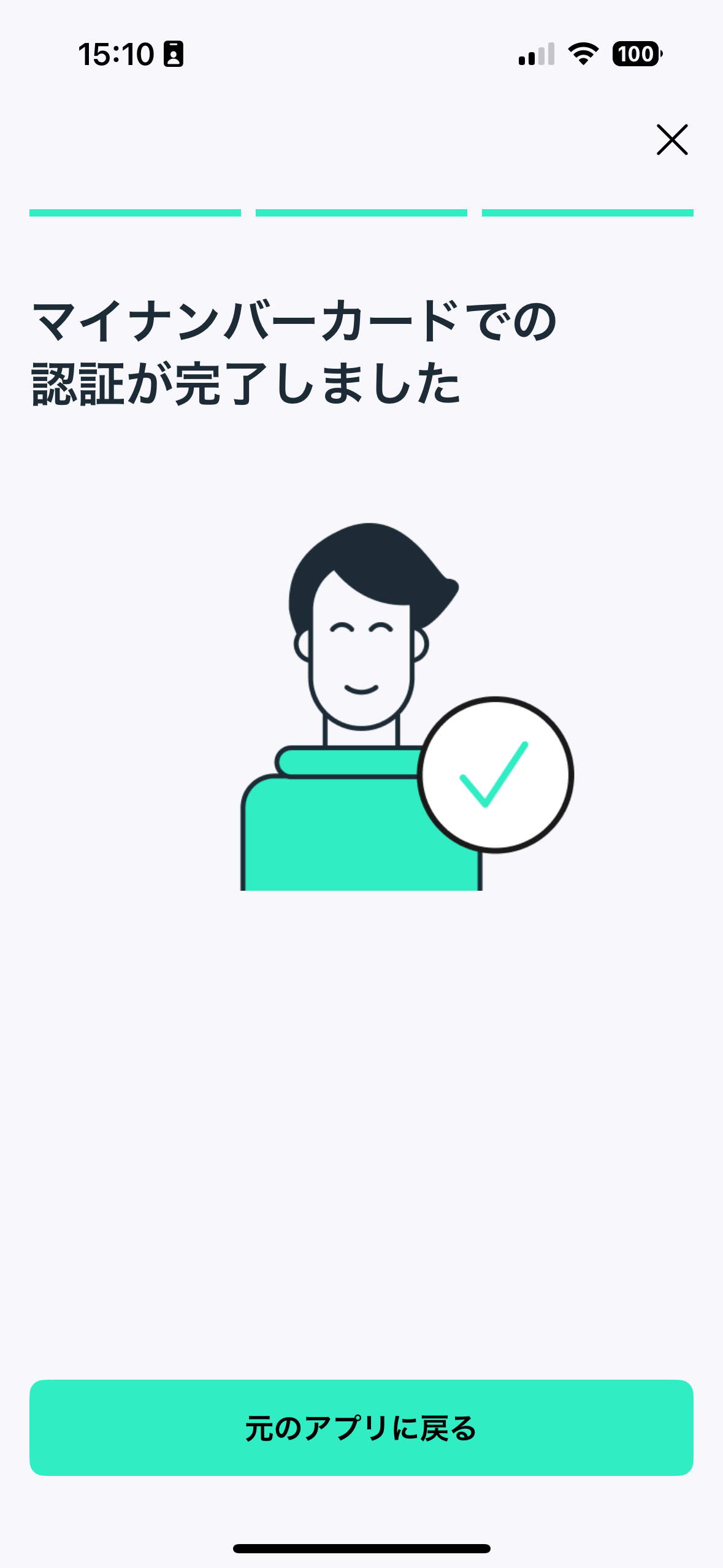
Identity verification flow with the Mizuhiki ID
Mizuhiki Verified Addresses
After completing the identity verification process, you can issue an on-chain proof in the form of a soulbound token (SBT) to any or all of your EVM-compatible addresses. The Mizuhiki Verified SBT adheres to the ERC-5484 standard.
Once the token is minted to your address:
- You cannot transfer it to any other address
- Both you and JSC have the ability to burn the token
To issue the SBT:
- Connect your wallet address and sign a message using WalletConnect (this signature does not incur any gas fees)
- The Mizuhiki Verified SBT will be minted directly to your address. After refreshing the app, you will be able to view the token contract and token ID. You can use this information to import the token as an NFT into your wallet
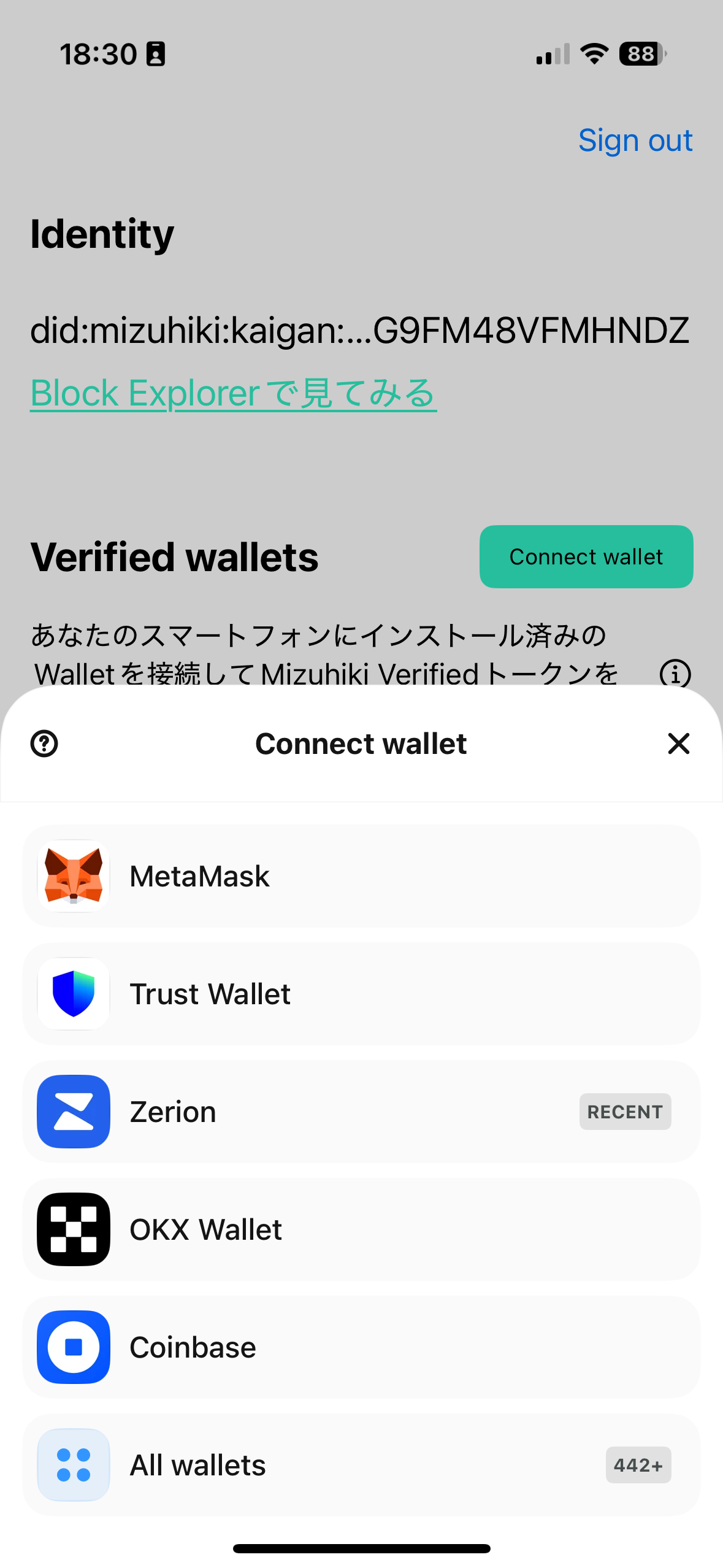
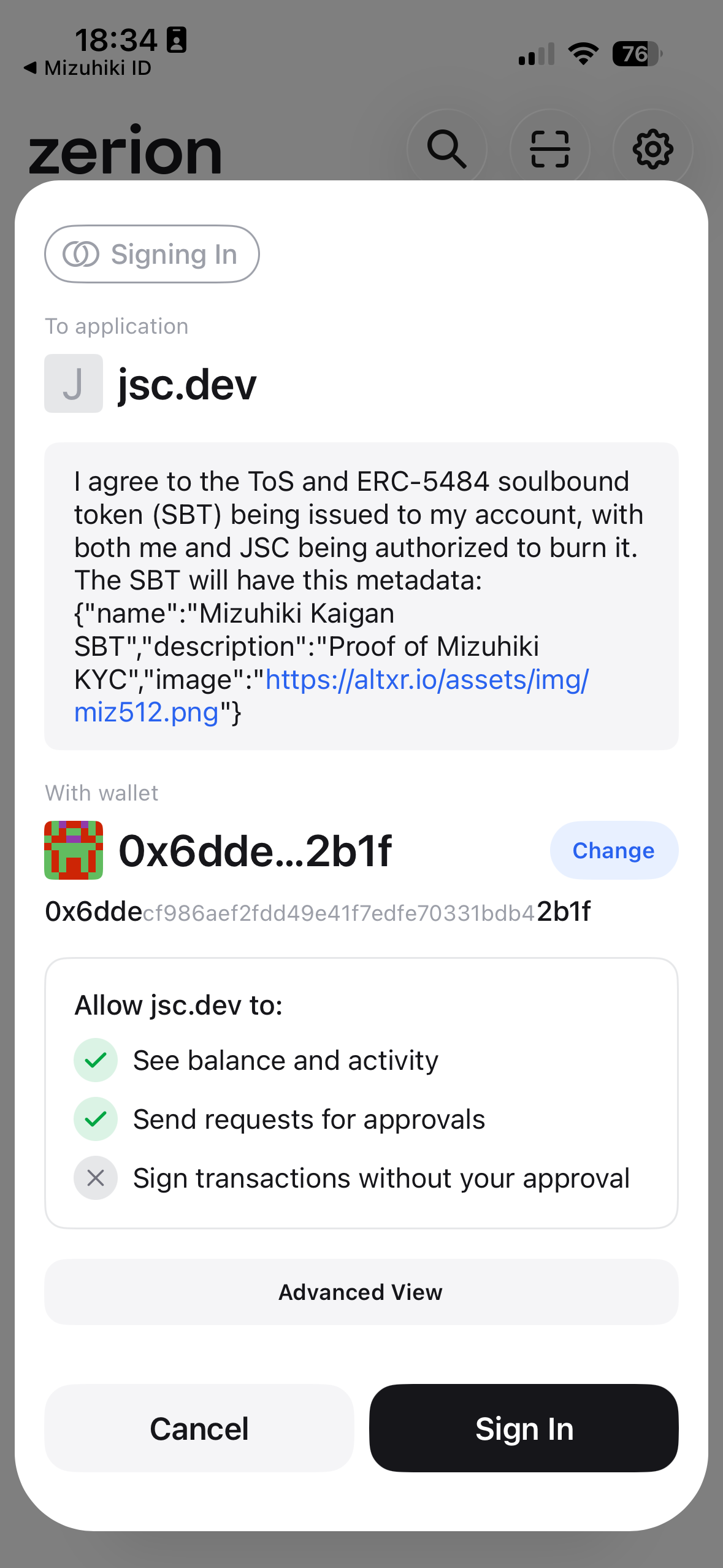
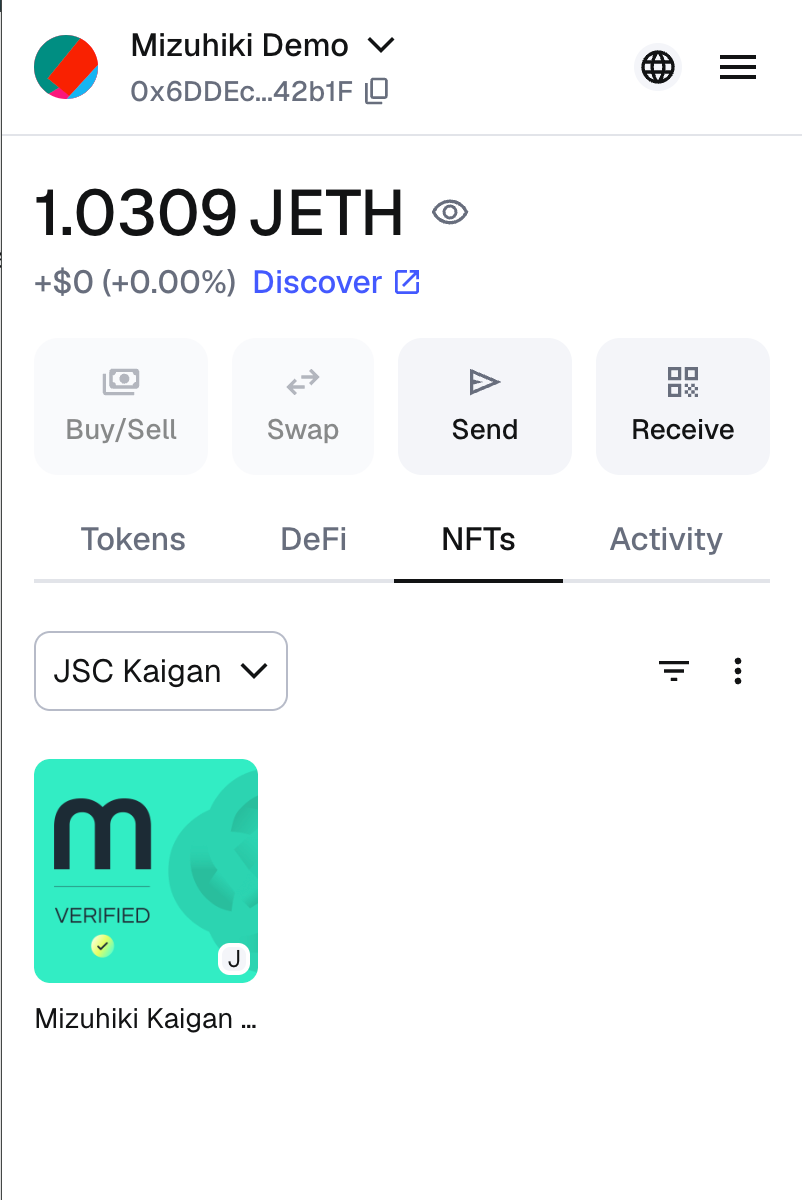
Mizuhiki Verified address flow with the Mizuhiki ID app
Create Compliant Applications
The Mizuhiki Verified SBT can be used to provide services to verified users only. Before completing a transfer or any operation, you can easily verify if the user's wallet holds the Mizuhiki Verified SBT.
Contract Addresses
| Network | Environment | Contract Address | Explorer Link |
|---|---|---|---|
| Kaigan Testnet | Development | 0x606F72657e72cd1218444C69eF9D366c62C54978 | View on Explorer |
| JSC Mainnet | Production | Contact JSC for address | - |
Contract Interface
The Mizuhiki Verified SBT implements the ERC-5484 standard:
interface IMizuhikiVerifiedSBT {
    /**
     * @dev Returns the number of SBTs owned by `account`
     * @param account The address to query
     * @return The number of SBTs owned (0 or 1 for soulbound tokens)
     */
    function balanceOf(address account) external view returns (uint256);

    /**
     * @dev Returns true if the account has a verified SBT
     * @param account The address to check
     * @return True if verified, false otherwise
     */
    function isVerified(address account) external view returns (bool);

    /**
     * @dev Burn authorization - who can burn the token
     */
    enum BurnAuth {
        IssuerOnly,     // Only JSC can burn
        OwnerOnly,      // Only token holder can burn
        Both,           // Both JSC and holder can burn
        Neither         // Token is permanently bound
    }
}
Create ERC20 Token for Verified Users Only
- Configure the SBT contract address for your ERC20 token:
import "@openzeppelin/contracts/token/ERC20/ERC20.sol";
import "@openzeppelin/contracts/token/ERC721/IERC721.sol";
import "@openzeppelin/contracts/access/Ownable.sol";

contract CompliantERC20 is ERC20, Ownable {
    /**
     * @notice Mizuhiki SBT contract address
     */
    address public mizuhikiSbtContract;

    /**
     * @notice Whitelist of addresses that can facilitate transfers without SBT e.g. DEX router addresses
     */
    mapping(address => bool) public dexWhitelist;

    // Events
    event MizuhikiSbtContractUpdated(address indexed newContract);
    event DexWhitelistUpdated(address indexed dexRouter, bool whitelisted);

    // Errors
    error NotVerified(address account, string message);

    /**
     * @notice Update the Mizuhiki SBT contract address (only owner)
     * @param _mizuhikiSbtContract New SBT contract address
     */
    function updateMizuhikiSbtContract(address _mizuhikiSbtContract)
        external
        onlyOwner
    {
        mizuhikiSbtContract = _mizuhikiSbtContract;
        emit MizuhikiSbtContractUpdated(_mizuhikiSbtContract);
    }

    /**
     * @notice Add or remove a DEX router from the whitelist (only owner)
     * @param _dexRouter DEX router address
     * @param _whitelisted Whether the DEX should be whitelisted
     */
    function updateDexWhitelist(address _dexRouter, bool _whitelisted)
        external
        onlyOwner
    {
        dexWhitelist[_dexRouter] = _whitelisted;
        emit DexWhitelistUpdated(_dexRouter, _whitelisted);
    }
}
- Create an
onlyVerifiedmodifier to check the balance of Mizuhiki Verified SBT of the sender and recipient:
modifier onlyVerified(address account) {
    if (IERC721(mizuhikiSbtContract).balanceOf(account) == 0 && !dexWhitelist[account]) {
        revert NotVerified(account, "Receiver must be a Mizuhiki Verified SBT holder or a whitelisted account");
    }
    if (IERC721(mizuhikiSbtContract).balanceOf(msg.sender) == 0 && !dexWhitelist[msg.sender]) {
        revert NotVerified(msg.sender, "Sender must be a Mizuhiki Verified SBT holder or a whitelisted account");
    }
    _;
}
- Add the
onlyVerifiedmodifier to any operation you want to limit to verified users only:
function _update(address from, address to, uint256 value)
    internal
    override(ERC20)
    onlyVerified(to)
{
    super._update(from, to, value);
}
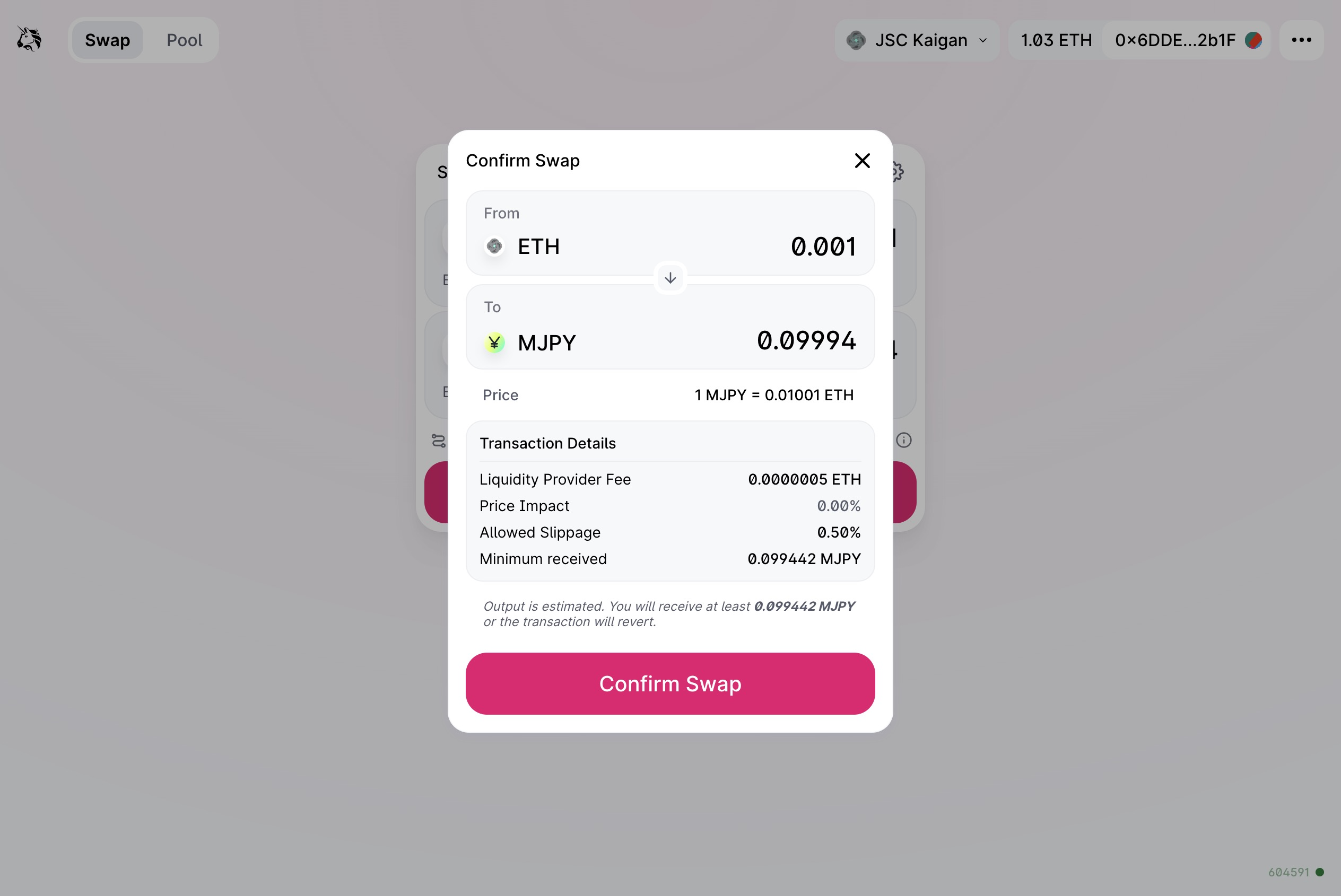
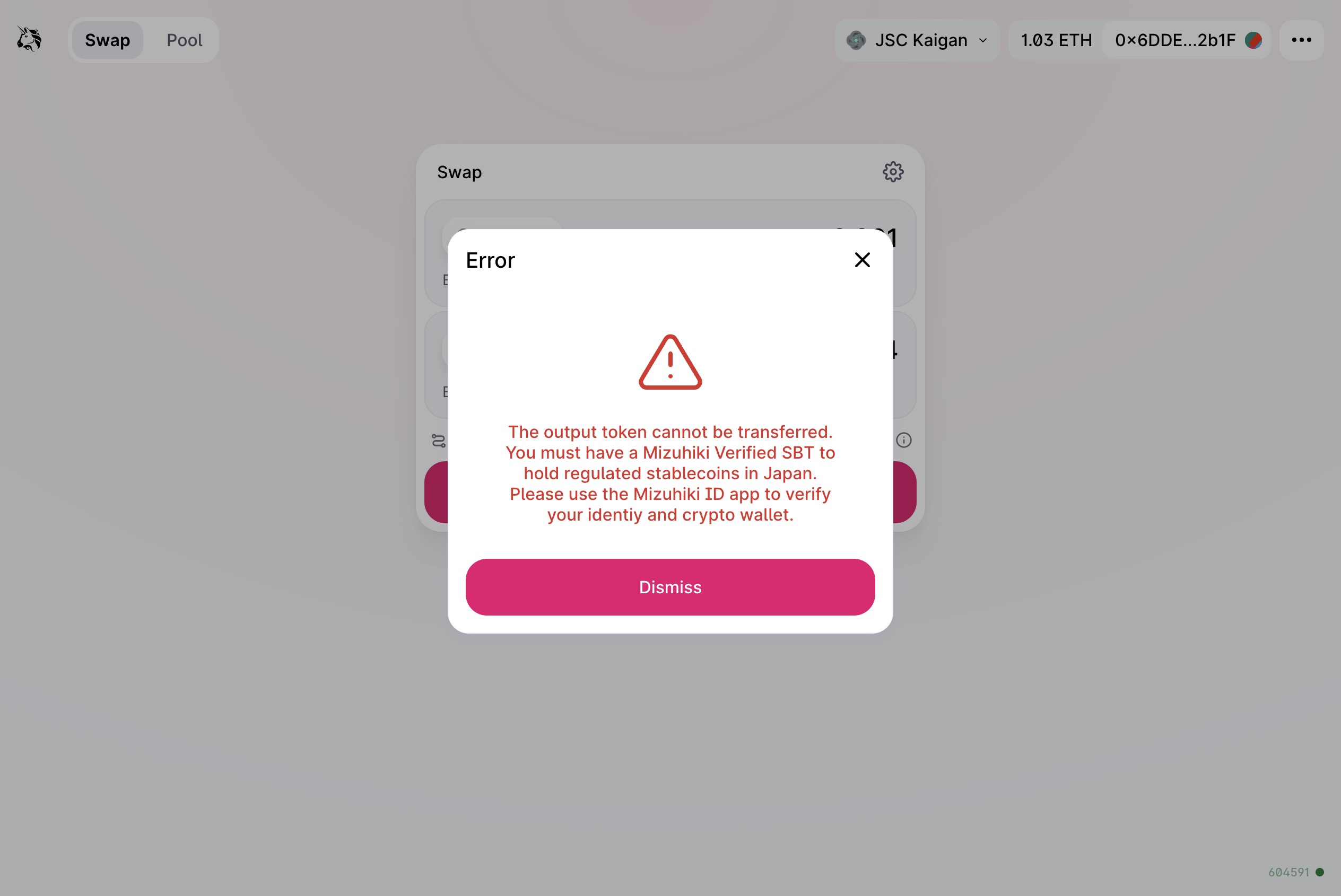
Enforcing KYC requirement on the ERC20 token contract level
The restriction for token transfer in this example is added to the token contract only. The DeFi contracts (Uniswap contracts) do not need to be modified.